Bulk SMS feature
Sep 04, 2026
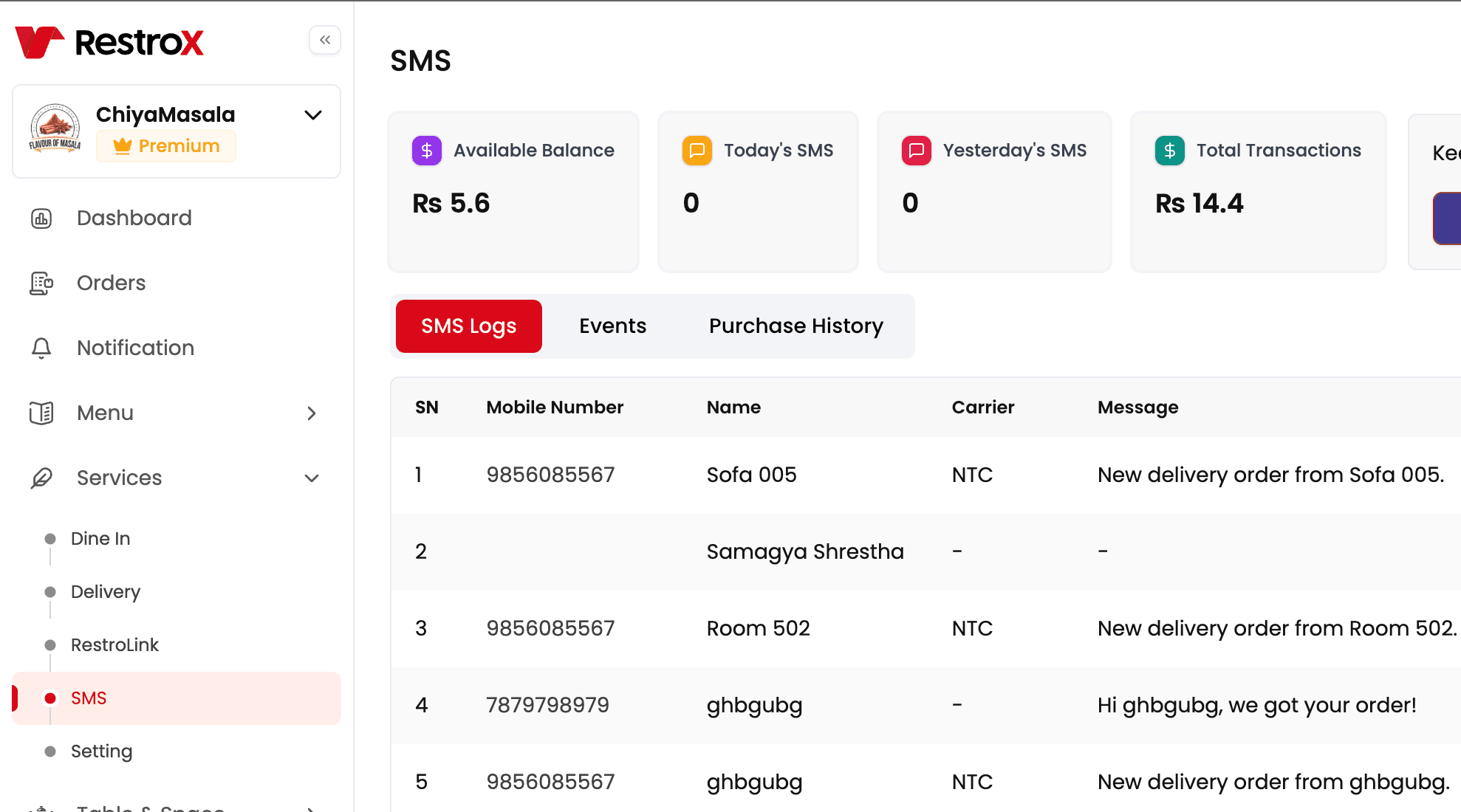
The Bulk SMS feature in RestroX enables restaurants to send targeted and automated messages to customers. This includes promotional SMS, personalized birthday greetings, festival wishes, and due credit reminders. It helps restaurants increase repeat customers, improve communication, and manage credit customers more efficiently. The system supports both English and Nepali Unicode SMS.
⸻
What Is the Bulk SMS Feature?
• A communication tool that lets restaurants send SMS to thousands of customers at once.
• Restaurants can reach customers instantly during peak seasons, slow business days, or special events.
• Allows automation so restaurants do not need to manually send birthday messages or credit reminders.
• Built-in SMS templates help restaurants send professional and attractive messages quickly.
• Tracks message delivery, click rates (if short links are used), and total SMS consumption.
• Supports customer segmentation based on visit frequency, spend amount, category tags, and credit customers.
Key Benefits
• Improves customer retention.
• Helps bring back inactive or old customers.
• Increases sales during offers and festival seasons.
• Automates communication without extra manpower.
• Ensures transparency with credit customers.
⸻
How to Add SMS Funds
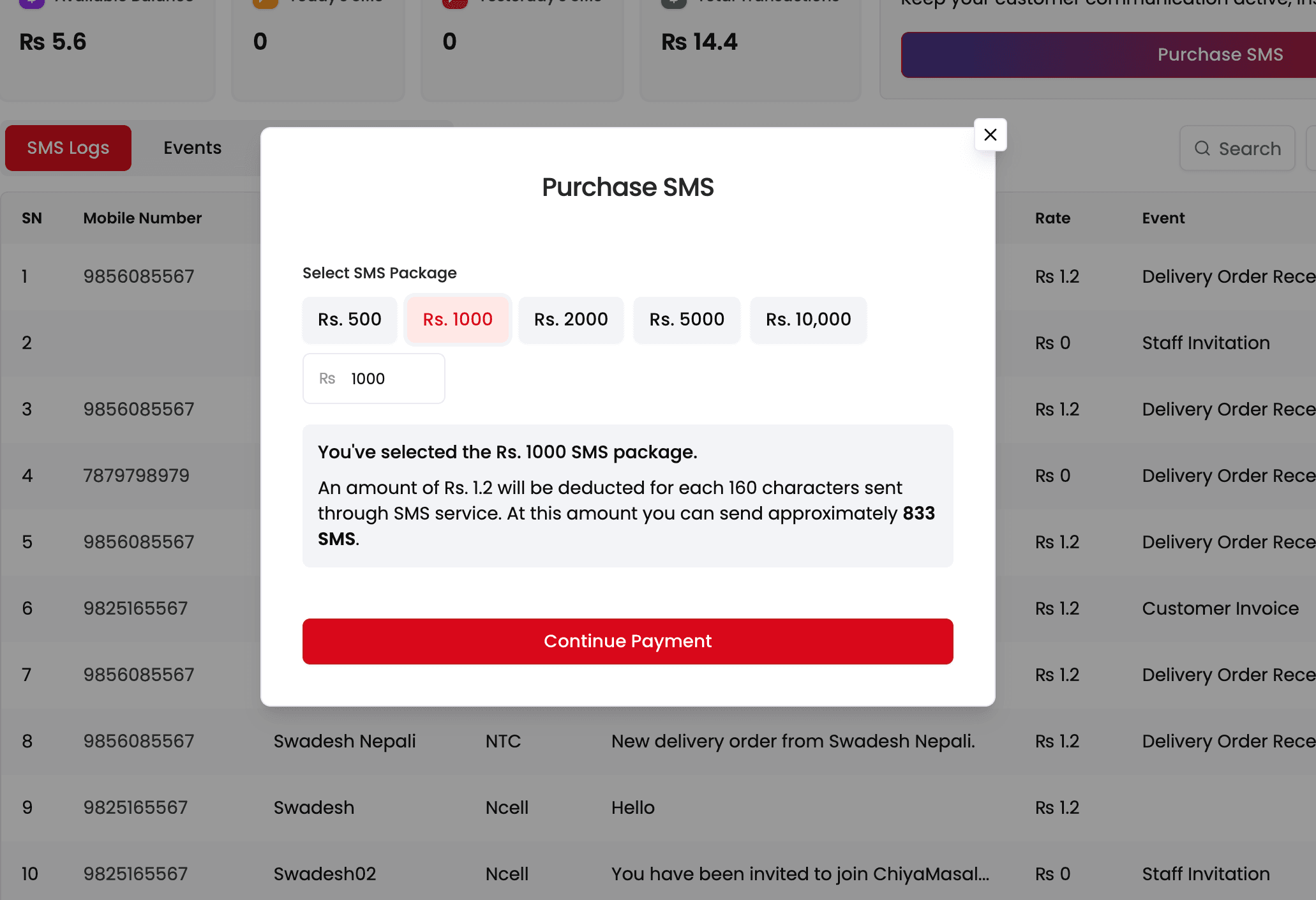
• Open RestroX Backoffice and log in as Admin.
• Navigate to the Bulk SMS menu.
• Click Add SMS Funds.
• Choose a top-up amount from the available packages.
• Select payment method (Khalti, eSewa, ConnectIPS, or Bank Transfer depending on your region).
• After successful payment, the SMS credit is added immediately to your account.
• You can view:
• Total SMS balance
• SMS rate
• Usage history
• Estimated remaining number of SMS
https://youtu.be/B4QlX6N8umY?si=ucaAp4GPDhVA7aCo
Additional Notes
• Auto-renewal can be enabled for uninterrupted birthday and credit reminders.
• SMS balance is shared across promotional, birthday, and due reminders.
• Restaurants receive low-balance alerts inside the dashboard and via email.
⸻
<iframe width="560" height="315" src="https://www.youtube.com/embed/B4QlX6N8umY?si=ucaAp4GPDhVA7aCo" title="YouTube video player" frameborder="0" allow="accelerometer; autoplay; clipboard-write; encrypted-media; gyroscope; picture-in-picture; web-share" referrerpolicy="strict-origin-when-cross-origin" allowfullscreen></iframe>
How to Send Bulk SMS
1. Choose SMS Type
• Promotional SMS: Offers, discounts, new menu, festival campaigns.
• Birthday SMS: Automatically sends SMS on the customer’s birthday.
• Due Credit Reminder: Sends pending credit amounts to customers.
• Custom SMS: Any personalized message for selected customers.
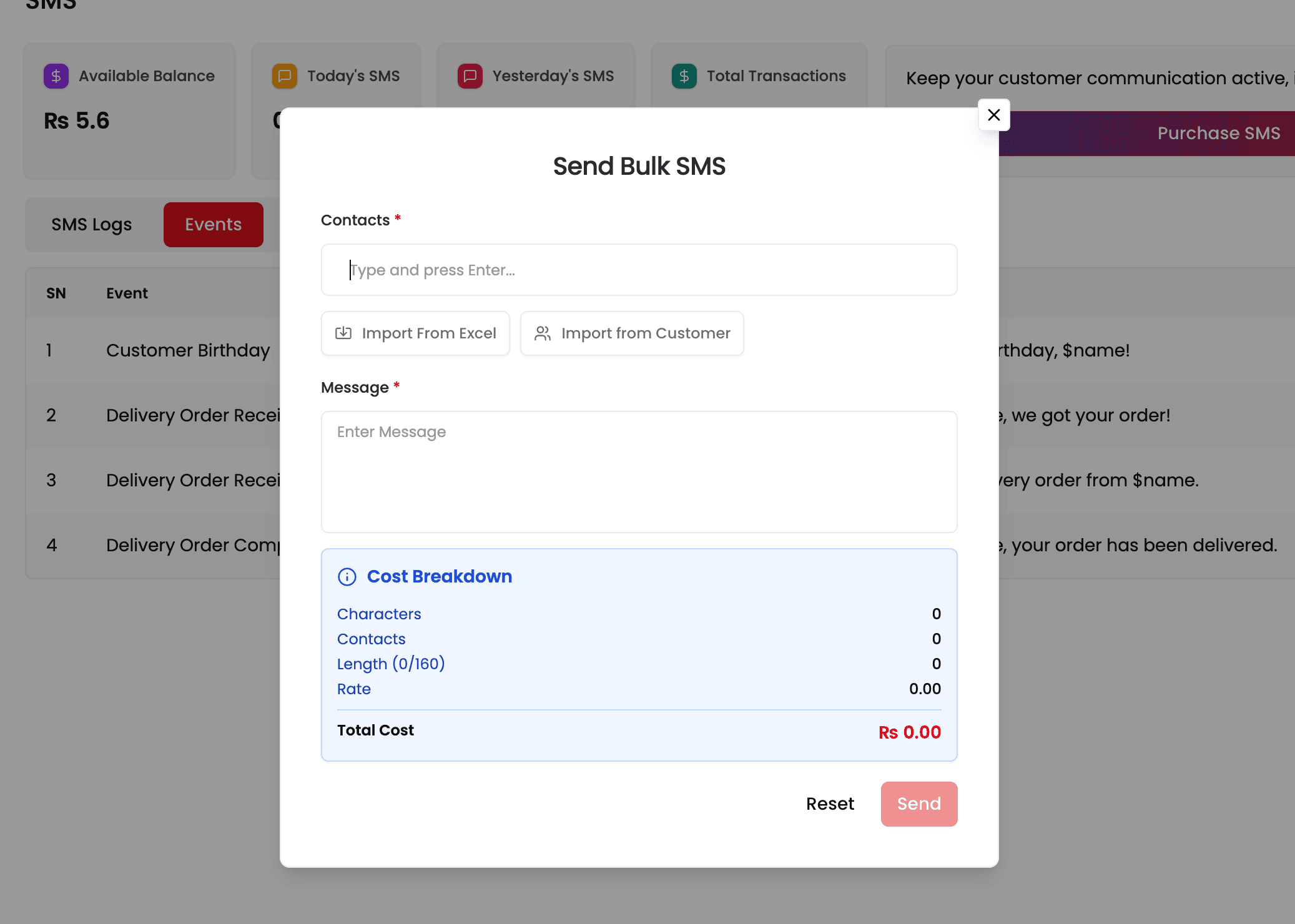
2. Select Customer List
• Send to all customers.
• Send to specific groups (e.g., VIP, Regulars, New Customers, Inactive Customers).
• Send to customers with pending dues.
• Import customers via Excel if needed.
• Manually select individuals.
3. Create Your Message
• Use built-in templates:
• Promotional templates
• Festival greetings
• Birthday messages
• Credit reminders
• Or write your own message.
• Supports English and Nepali Unicode.
4. Preview and Send
• Review the final message.
• Check total SMS required.
• Click Send SMS.
• Track delivery status in the Sent History section.
⸻
Tips and Best Practices
• Use short, clear messages for better engagement.
• Use customer names in SMS for personalization: “Hello Ram, enjoy 10% off today.”
• Schedule promotional SMS during peak times (evenings, weekends).
• Use birthday automation to increase loyalty—customers often visit on their birthdays.
• Set monthly credit reminder automation for better account settlement.
• Maintain SMS balance above the recommended minimum to avoid message failures.
• Keep festival campaigns early to get maximum impact (Dashain, Tihar, New Year promotions).
⸻
FAQs
1. Can I automate birthday SMS?
Yes. Once enabled, the system sends birthday messages automatically every day.
2. Can I send Nepali Unicode SMS?
Yes. Full Unicode support is included.
3. How do credit reminders work?
RestroX detects customers with unpaid balances and sends SMS automatically or manually.
4. Can I schedule SMS for a specific date?
Yes. Promotional SMS can be scheduled in advance.
5. Will customers be duplicated in the SMS list?
No. The system automatically removes duplicates based on phone numbers.
6. Can I track SMS delivery?
Yes. Delivery history and status reports are available inside the dashboard.
7. Does SMS fund cover all message types?
Yes. All SMS types use the same balance.
8. What happens if balance runs out during automation?
Automated SMS will pause until funds are added.


